Walkthrough
How a practice session works
From your question list to a recorded, reviewed mock interview in about ten minutes. Everything runs in your browser.
- Five steps
- About ten minutes
- Runs in your browser
Add the questions you expect
Open the practice room. You will find editable sample sets for HR rounds, behavioural (STAR) questions, situational questions and campus placements. You can edit them, or create your own sets: type questions one at a time, or paste a whole list — numbered, bulleted or plain lines — and correct the preview before saving. Each question can have a category and private notes that are never read aloud.
There is no limit on how many questions a set can hold. Sets are saved automatically in your browser, and you can mark a set as a draft while you are still writing it.
Choose how the interview should feel
- Relaxed practice
Lets you pause, retry an answer (she asks the question again) or skip a question.
- Interview simulation
Removes pause, retry and skip, and keeps a steady, formal pace.
You can choose whether the interviewer moves on by herself when you stop talking, set an answer time limit (and whether it moves you on automatically), decide whether the question stays on screen while you answer, preview the interviewer’s voice, and turn recording on or off.
- Relaxed practice
Check your camera and microphone
You will see your own camera preview and a microphone level meter that moves with your voice, so you know you can be heard. You can switch cameras and microphones, and play a test sentence from the interviewer. If a camera or microphone is missing or blocked, the page explains how to fix it — or you can practise without devices and simply answer out loud.
Meet the interviewer
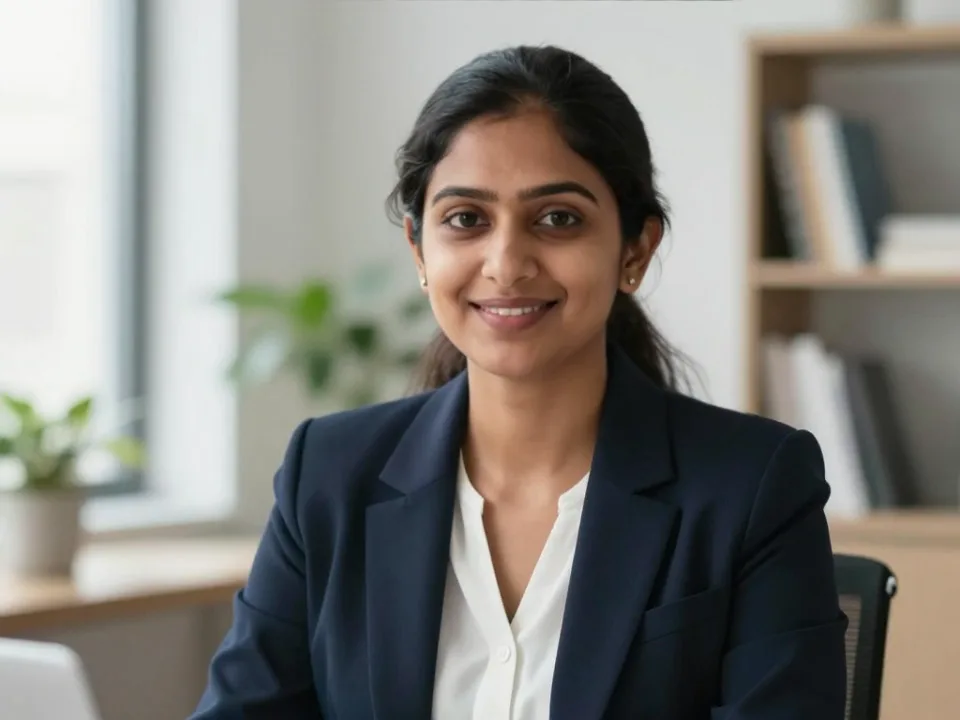
AnanyaVirtual interviewer · AI-generated, not a real person After a short countdown, Ananya joins. She looks like a real person on a video call — but she is AI-generated, not a real person. She smiles as she greets you, talks as she asks each question, listens with small nods while you answer, nods between questions and sometimes glances at her notes. She speaks in her own natural Indian English voice, recorded in advance, and her lips follow it. Your browser’s built-in voices are never used. In lite mode, or if the video cannot play, a still photo is used instead; if the voice cannot play, her lines appear as captions.
She welcomes you, asks each question aloud and waits while you answer. When you stop speaking, she moves on to the next question after about two seconds (you can choose three or five in setup) — a short “Moving on” hint appears first, so you can keep talking if you were only thinking. You can also press Finish answer at any time. A small speech-detection model on your device listens for a human voice, so background noise like a fan or traffic is ignored. If you turn on follow-up questions, your answer is transcribed on your device so she can ask about what it left out. Your answers and recordings are never sent anywhere, and she never judges you as a candidate.
At the end, she closes the interview.
Review and practise again
The review screen shows how many questions you answered, the session length and the time you spent on each answer. If recording was on, you can watch each answer, then save it in this browser, download it, or delete it. Recordings contain only you — your camera and microphone — not the interviewer.
For each answer you can tick a five-point self-review checklist (relevance, structure, examples, clarity, concision), write a note for next time, and flag it for more practice. Then choose Retry selected to practise only the flagged questions, or Repeat interview to run the whole set again.
- Relevance
- Structure
- Examples
- Clarity
- Concision
What you need
A recent version of Chrome, Edge, Firefox or Safari on a computer, Android phone or iPhone.
A camera and microphone (optional — you can practise without them).
About 2 MB of data the first time you load the video interviewer, plus about 30 KB for each sentence she speaks. Lite mode uses much less.